Comunicazione

Descrizione

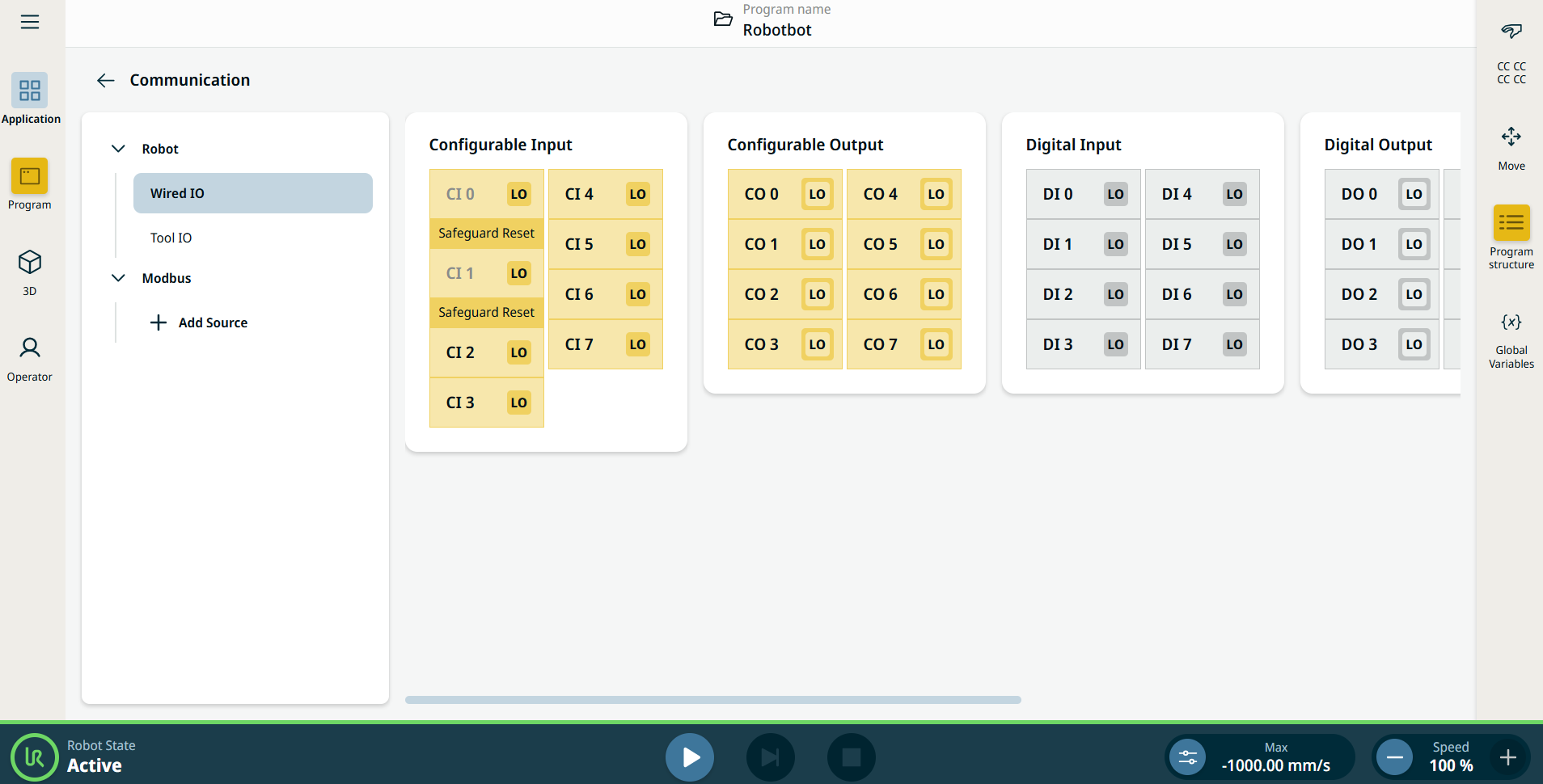
L'applicazione Comunicazione consente di monitorare e impostare i segnali I/O (ingresso-uscita)  attivi da/verso l'unità di controllo del robot.


Immagine 15.4:  Schermata di comunicazione contenente gli I/O.


Using the Communication application functionality

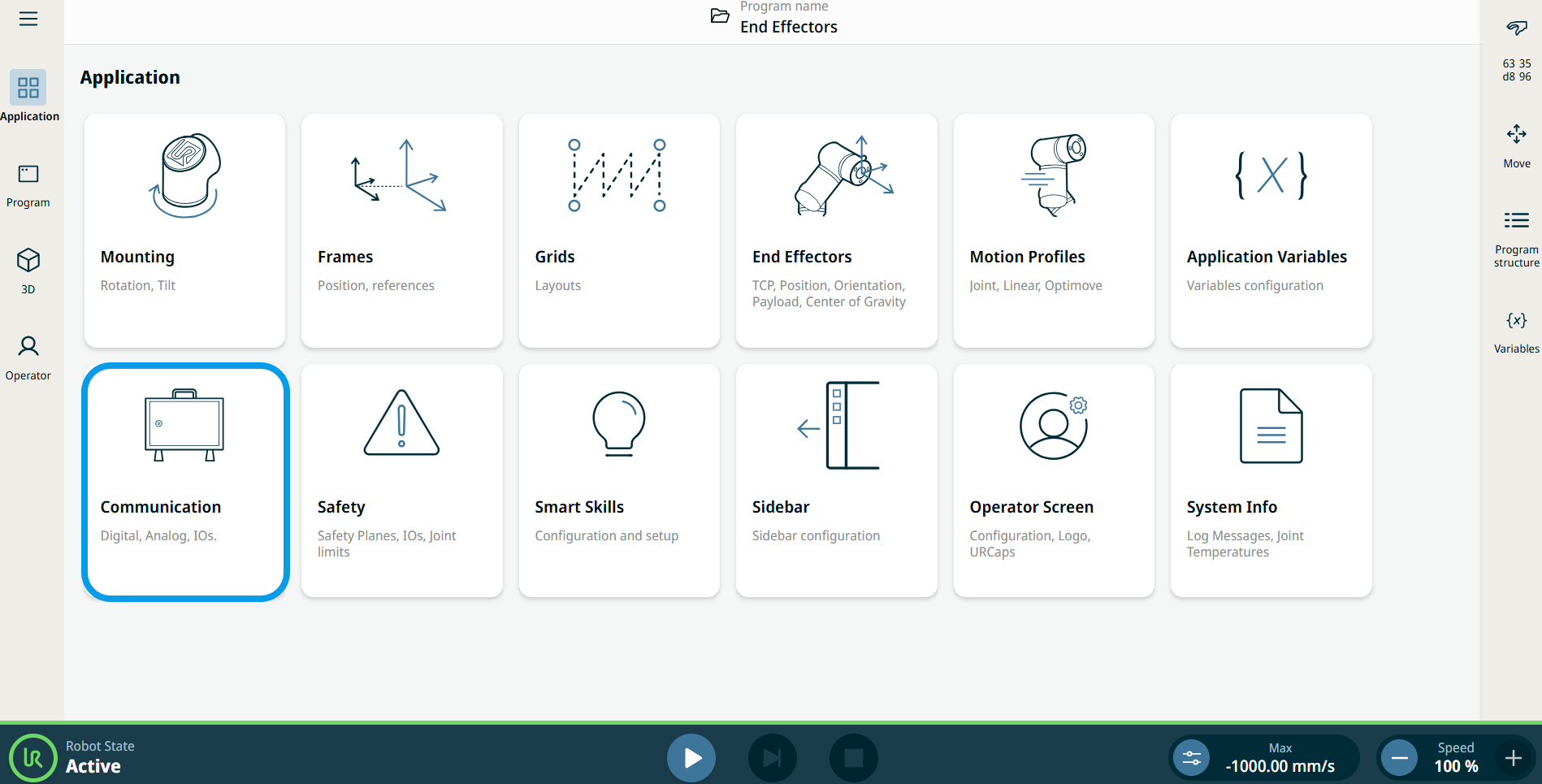
  1. Go to the Application menu screen. Vedere Scheda Applicazione.

  2. Tap the Communication icon.


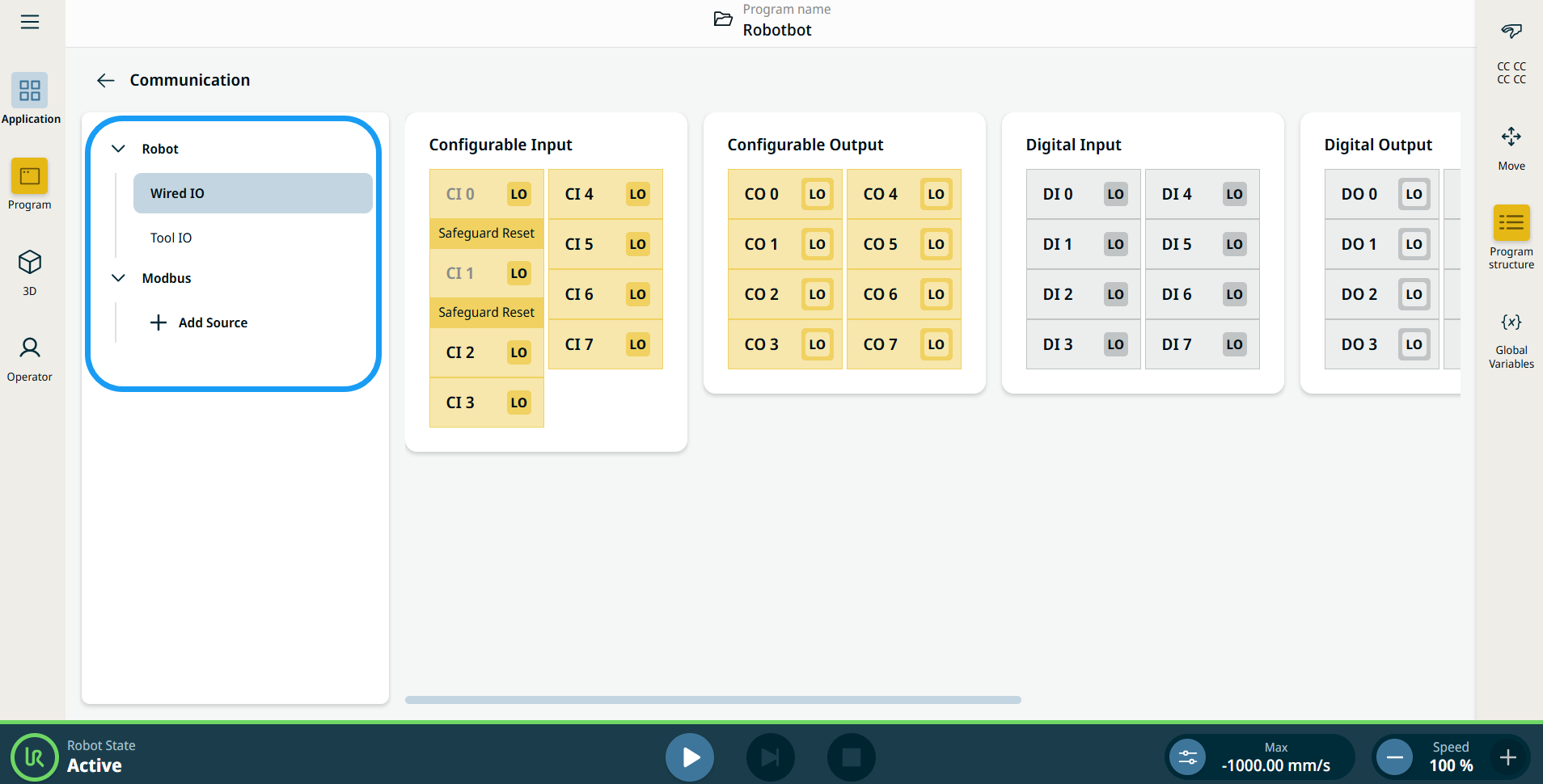
    The Communication screen appears, which is divided into the left panel and the right panels.


    The left panel consists of the communication tree, composed of three functions:

    • Robot Wired IO

    • Robot Tool IO

    • Modbus

    The right panels show the editable fields of the chosen function.