Upgrading TIA Portal

Description

Before moving onto step 2 and performing any of the following steps, it is required to perform the steps outlined in the PROFIsafe Update Guide.


  1. Perform the necessary steps outlined in the PROFIsafe Update Guide

  2. Once the PolyScope Safety upgrades have been performed, the TIA portal program must be updated:

    1. Existing PLC programs must be updated to consider the changed polarity of the outgoing PROFIsafe signals (from the robot). The signals are now active low.
      Consult the table above for details.

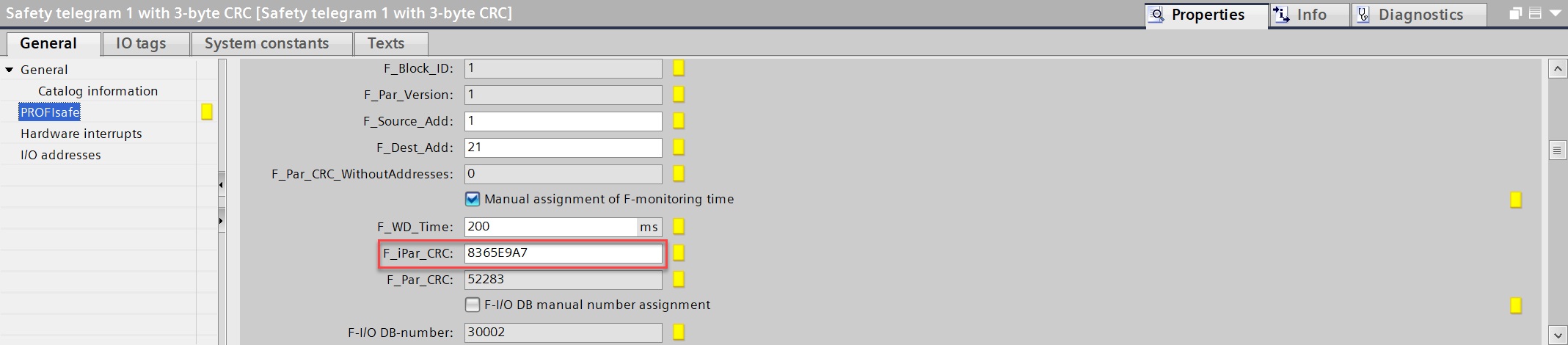
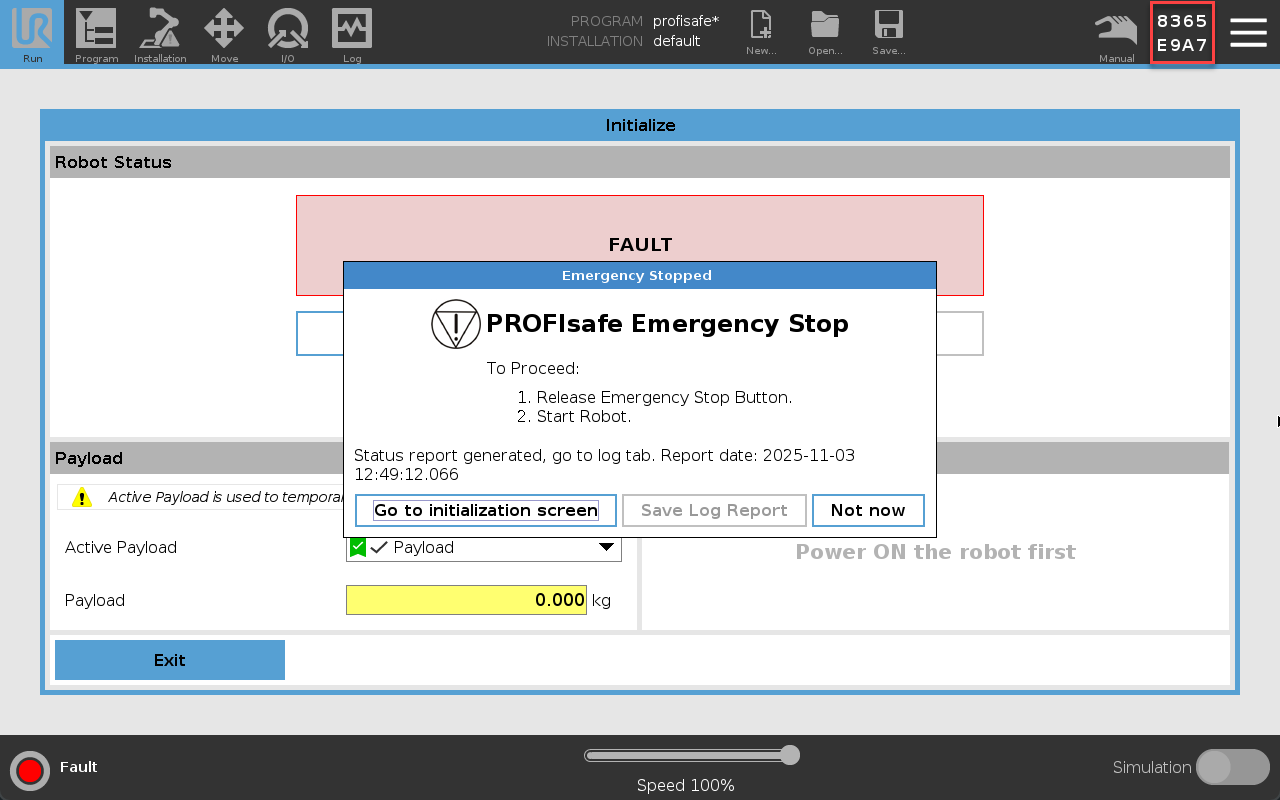
    2. Update your program to use the new Safety Checksum. The Checksum can be found in top right corner of PolyScope.

    3. Now the PLC should stop displaying an error (blinking red).

    4. You might see an error like this below. You can try to restart the robot by clicking the "fault" in bottom left corner.

    5. It must be acknowledged on the PLC an E-stop error has occurred to clear the message. This should return the robot back to a normal state.

  1. Now, when the PLC is started and the robot is enabled on the PLC side, it should tentatively work as before.