How to mount robot arms to the Calibration Horse
This procedure requires the following criteria for success:
-
Mount the robots at approximately 52.5°
-
Use a custom installation before activating the robots.
To mount each robot arm
-
Use the screws to mount each robot to the Calibration Horse.
-
Turn on the control box, then leave the robot arm in the Idle state (Yellow indicator).
The screen, below shows the robot arm in the Idle state.
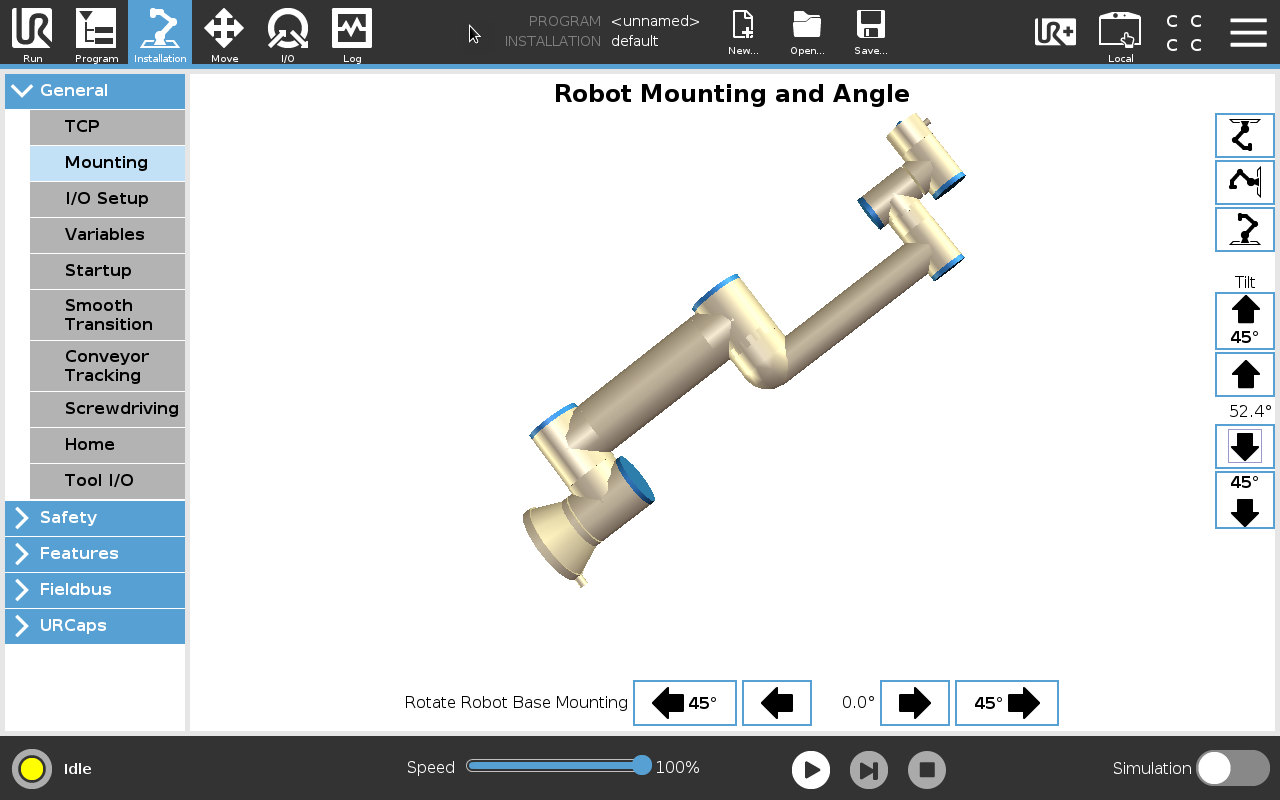
To configure the mounting software
-
On PolyScope, in the Header, tap Installation.
-
Under General, select Mounting
-
Use arrow buttons to set the Tilt and the Rotate Robot Base Mounting, according to the values in the table below.
Robot size Tilt Rotate Robot Base Mounting UR3e 52.5° 270° UR5e 52.5° 90° UR10e 52.5° 90° UR16e 52.5° 90°