Software Installation

To configure the
3PE TP software

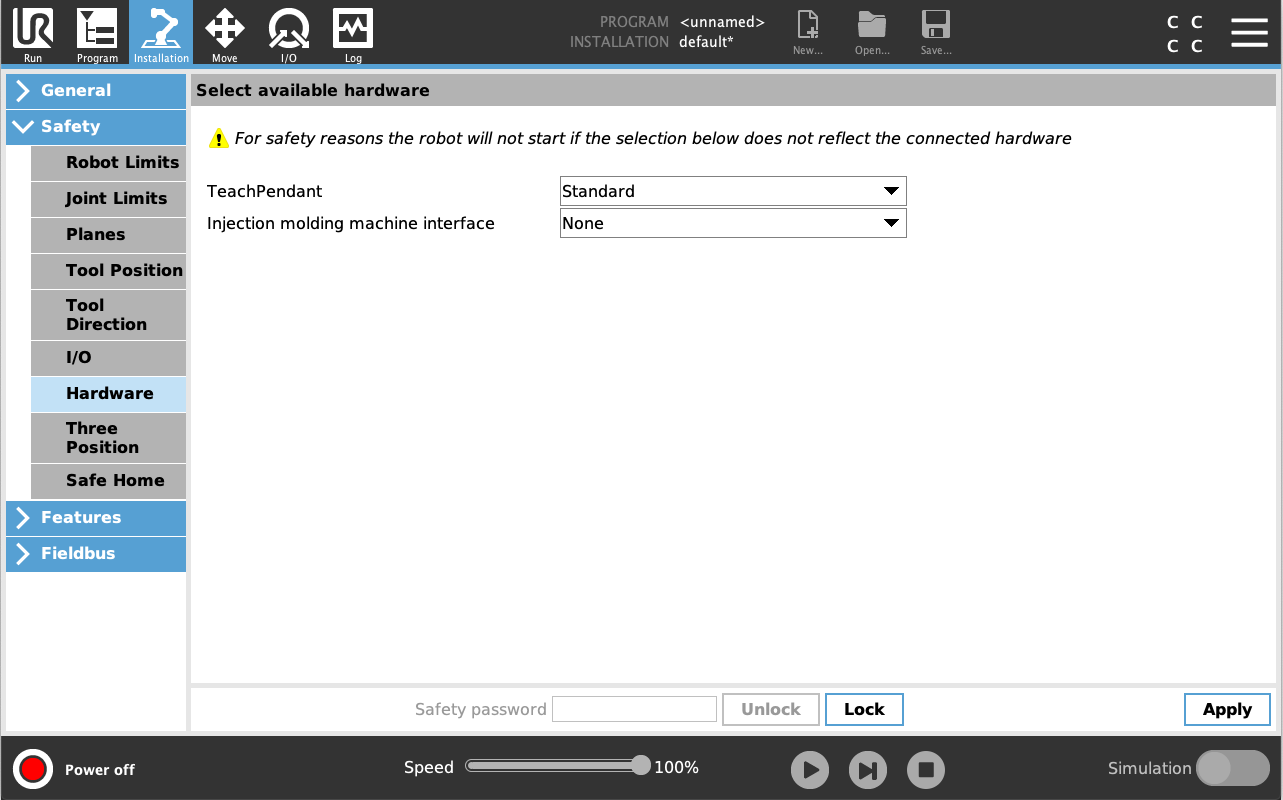
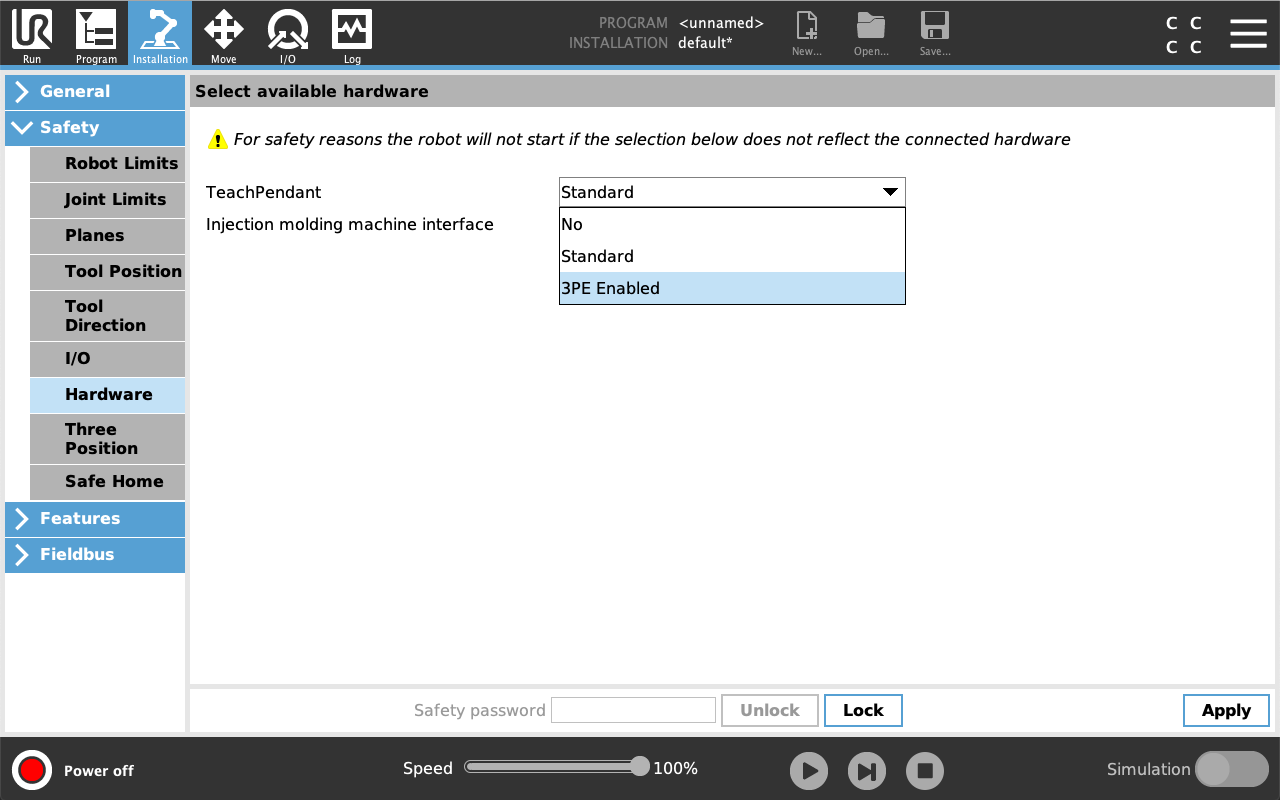
  1. On PolyScope, in the Header, tap Installation and select Safety.

  2. Tap Hardware and unlock the options on the Select available hardware screen.

    A password is required to unlock this screen.

  3. In the Teach Pendant drop-down list, select 3PE Enabled.

  4. Tap Apply to restart the system. PolyScope continues to run.

  5. Tap Confirm Safety Configuration to complete the 3PE Teach Pendant software installation.

  6. As the robot restarts and initializes, light-press the 3PE button and tap Start on PolyScope.