Resetting a calibration
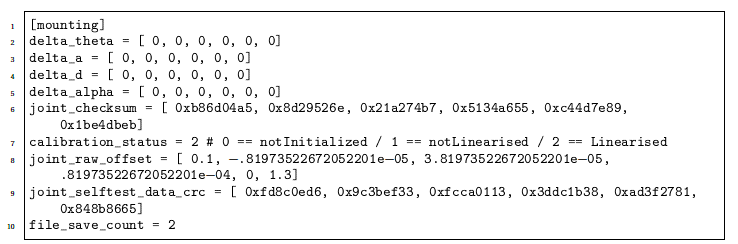
You can manually reset or adjust a calibration by editing the following file:
root/.urcontrol/calibration.conf
Before editing the file, backup your original calibration file by saving it under a different name.
To reset the calibration
-
Set all numbers in delta arrays to zero and increase file_save_count by one.
-
Then reboot the robot to apply the changes.
The example below illustrates a case where all numbers in the delta arrays to zero.