External Device Connection Ports
| Description |
The bottom side of the OEM Control Box contains a bracket with ports for connecting external devices. The following illustration shows the bracket.
|
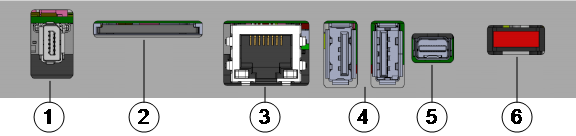
| Ports |
Removing the SD card under operation can corrupt the system. Do not remove the SD card.
|
Connecting a Mouse, Keyboard, or Monitor
| Description |
Use a USB port to connect a keyboard or a mouse. Use the Mini Displayport to connect a monitor.
|
How to Connect a Teach Pendant
| Description |
Do not connect or disconnect the Teach Pendant while Control Box is powered on. This can cause damage to Control Box.
Excessive strain at the port on the OEM Control Box can cause damage to the Teach Pendant connector and affect the functionality of the Teach Pendant.
|
|
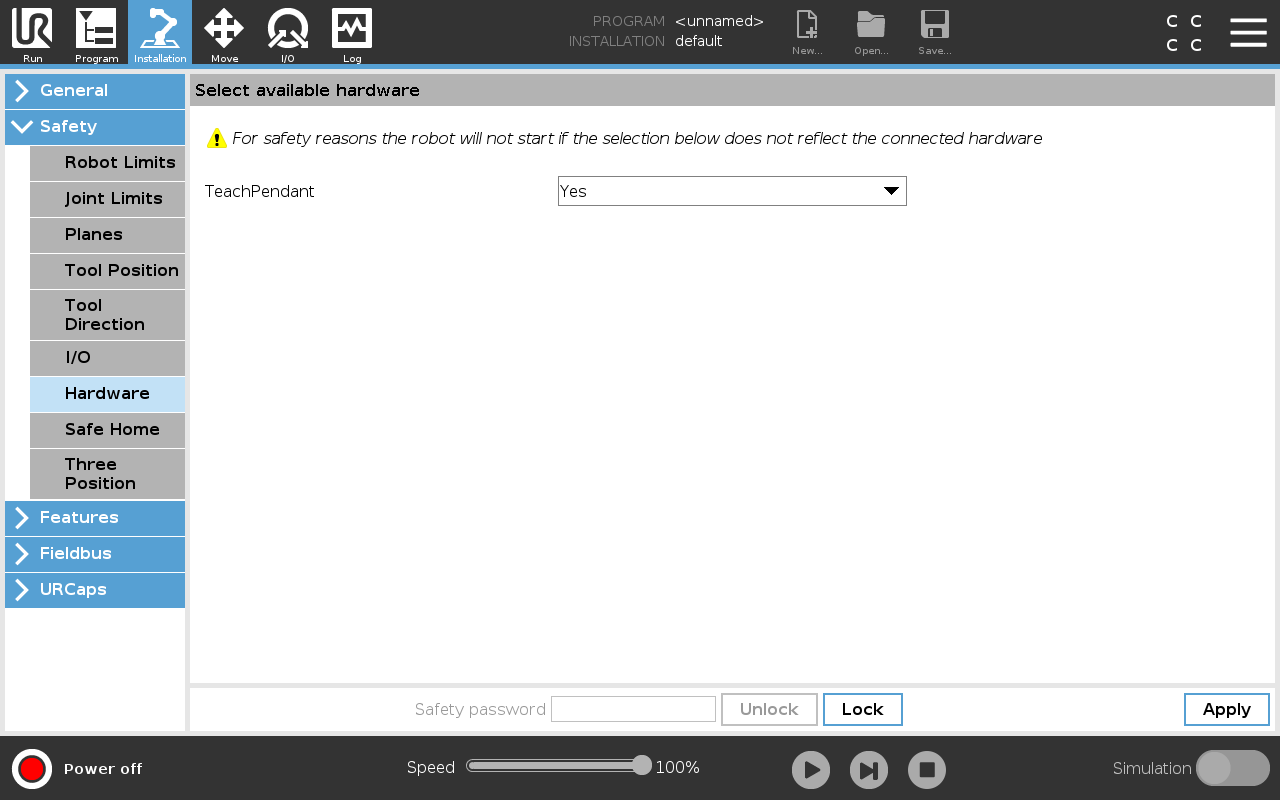
To connect a Teach Pendant:
|
How to Use Remote Control and Local Control
|
To activate remote control:
To activate Local Control, in the Header, tap the Remote Control icon and select Local Control.
|