Joint Limits

Description

Joint Limits allow you to restrict individual robot joint movements in joint space (for example, joint rotational position and joint rotational speed). Joint limiting is also called software-based axis limiting.


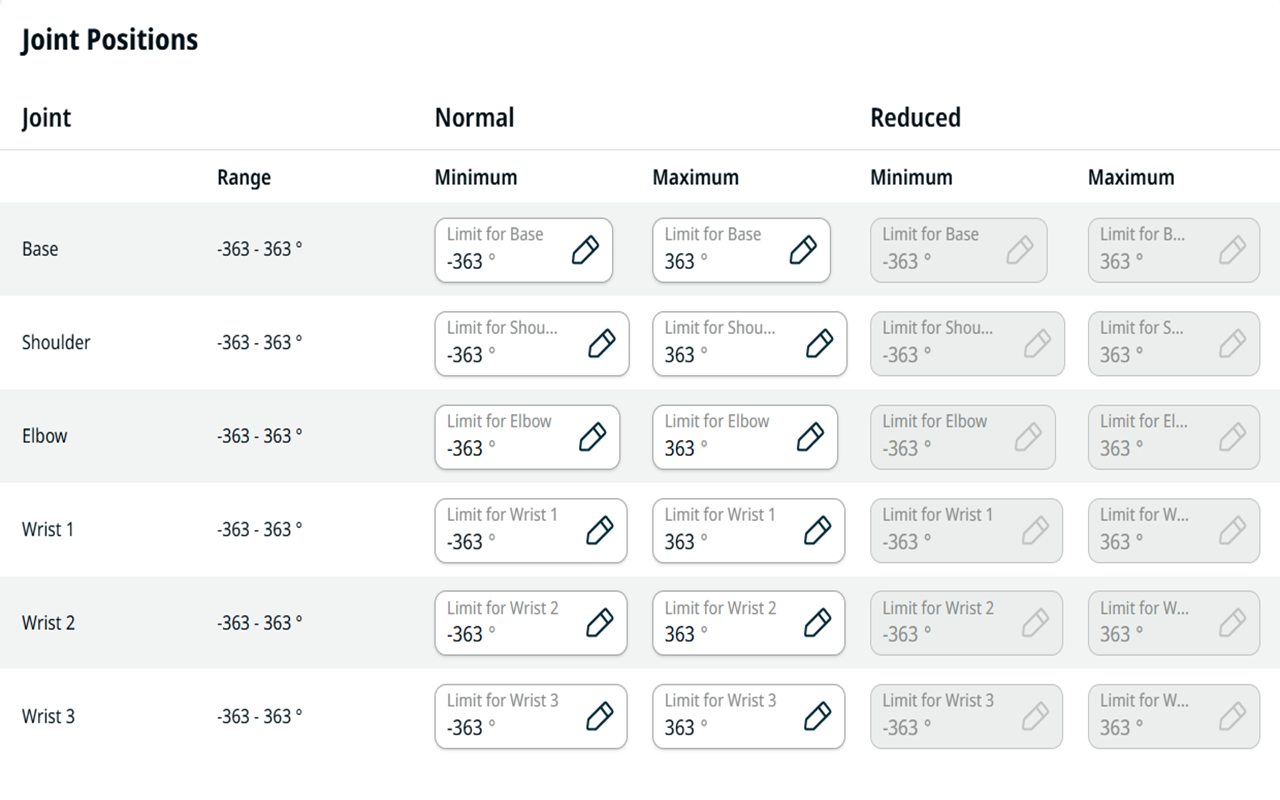
Joint Positions

Set Joint Positions as follows:

  1. Go to the Application tab.

  2. Go to Safety.

  3. Unlock and enter the safety password.

  4. Select the settings for each joint in the corresponding fields.

    Joint Positions in PolyScope X


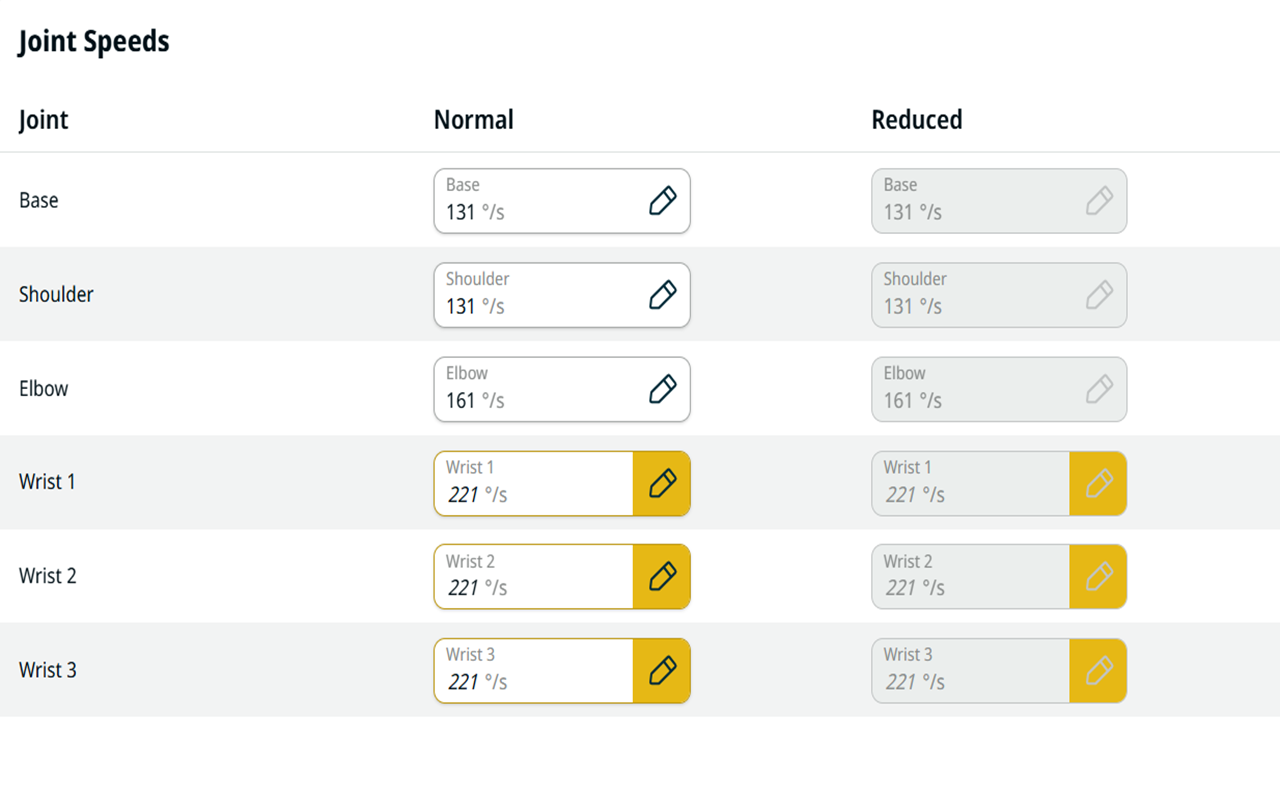
Joint Speeds

Set Joint Speeds as follows:

  1. Go to the Application tab.

  2. Go to Safety.

  3. Unlock and enter the safety password.

  4. Select the settings for each joint in the corresponding fields.

Joint Speeds in PolyScope X