| Verify active payload
|
Starting the robot arm disengages the braking system, allowing you to start moving the robot arm and to start using PolyScope X. Before powering on the robot arm, you need to verify that the correct active payload is configured.
-
Check the Robot State in the footer of the screen.
If the state is Emergency Stopped, hold and twist the emergency stop button to reset. The arm will then be in Off state.
-
Step outside the reach (workspace) of the robot arm.
-
Tap the on-screen Power button.
-
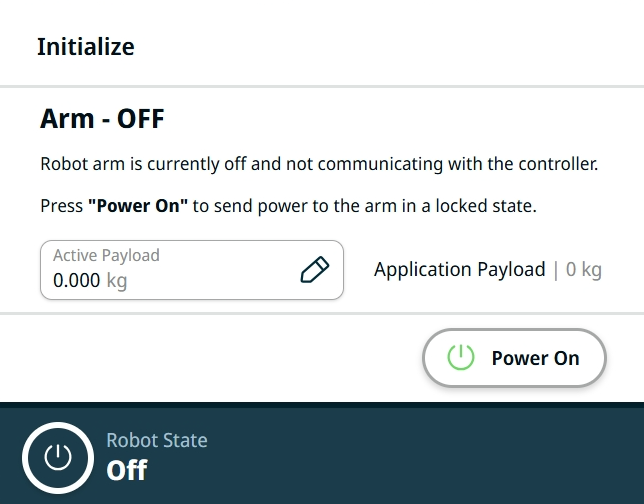
In the Initialize box, tap Power On. On a new robot or the first boot after the software update, an Updating Firmware dialog may appear. When the arm firmware update is complete, the robot state will change to Locked.
-
In the Active Payload field, verify the payload mass.
-
Tap the Active Payload field, and an Edit field appears in the main screen.
-
Enter your active payload and tap Confirm.
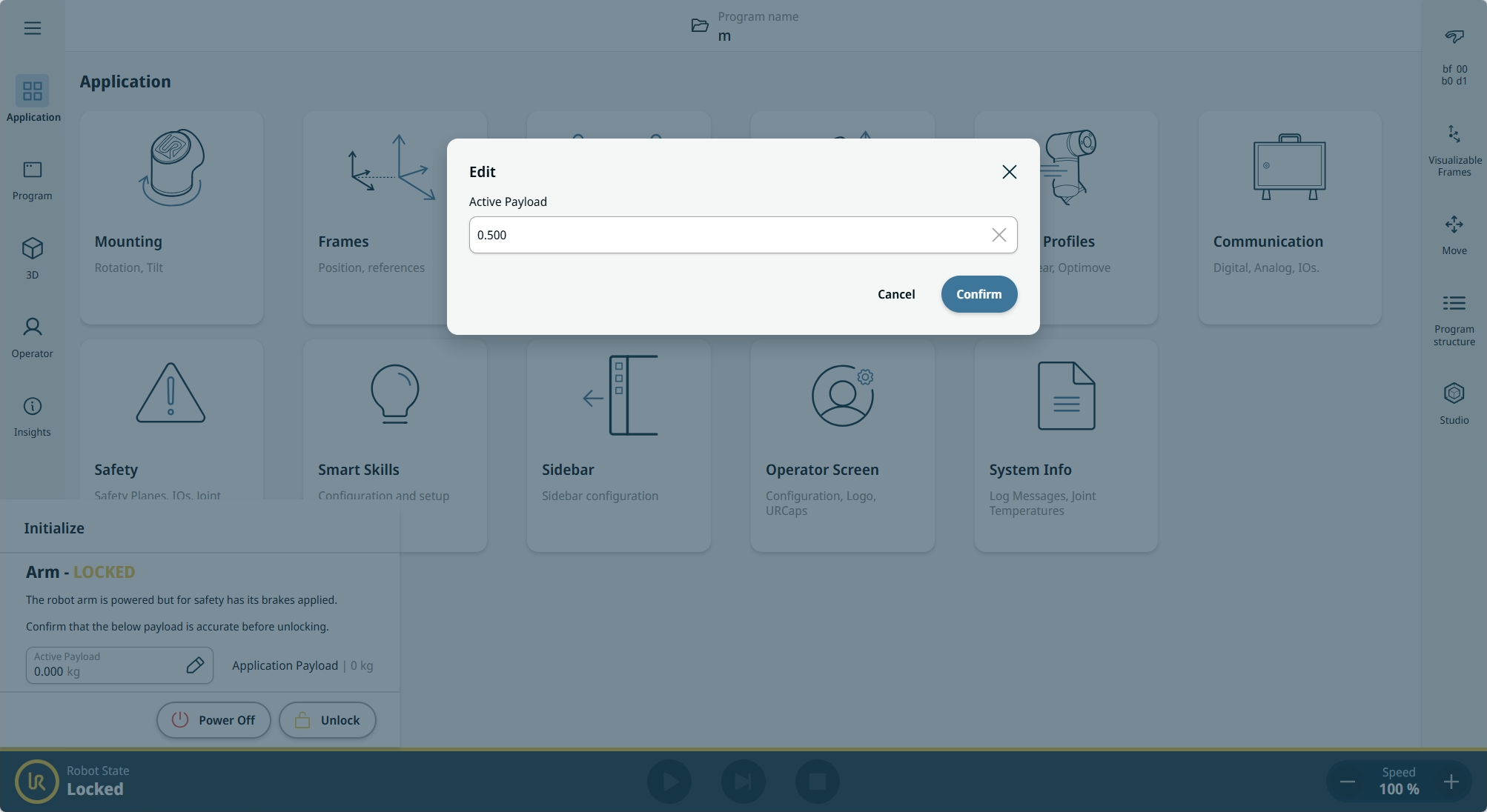
You can now Unlock the brakes and start moving the robot arm.
|