Certificate Handling
| Description |
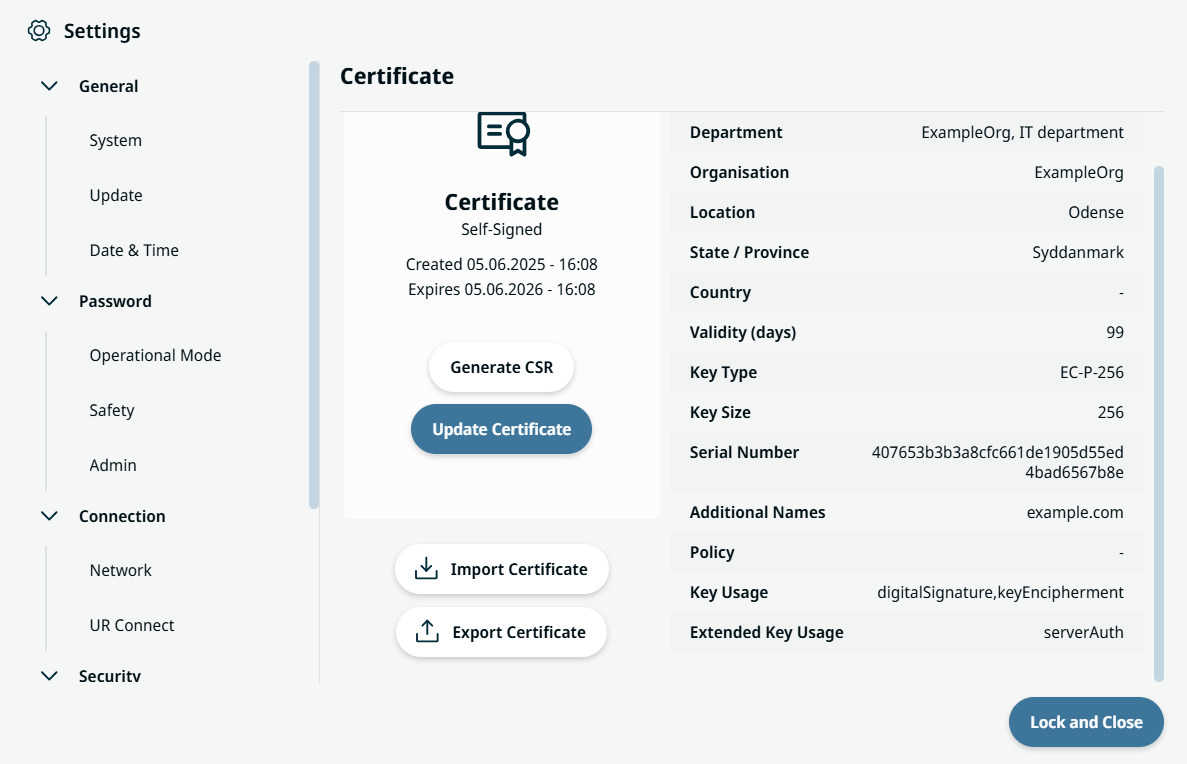
Digital Certificate Handling lets you view, edit, and import or export privacy enhanced mail (PEM) files, generate certificate signing requests (CSRs), and create self-signed certificates.
|
|
Purpose and benefits |
This feature ensures secure robot identification and enables encrypted communication. It supports workflows for both self-signed certificates (for quick setup) and CA-signed certificates (for stricter trust requirements). These are the key benefits:
|
|
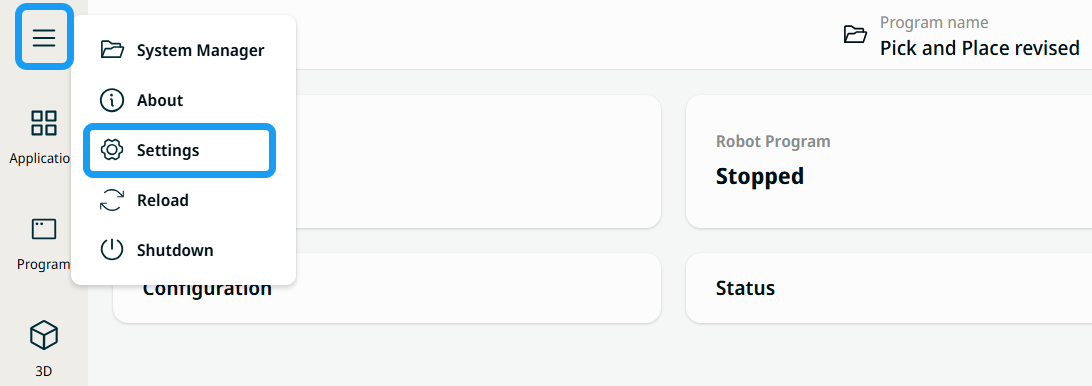
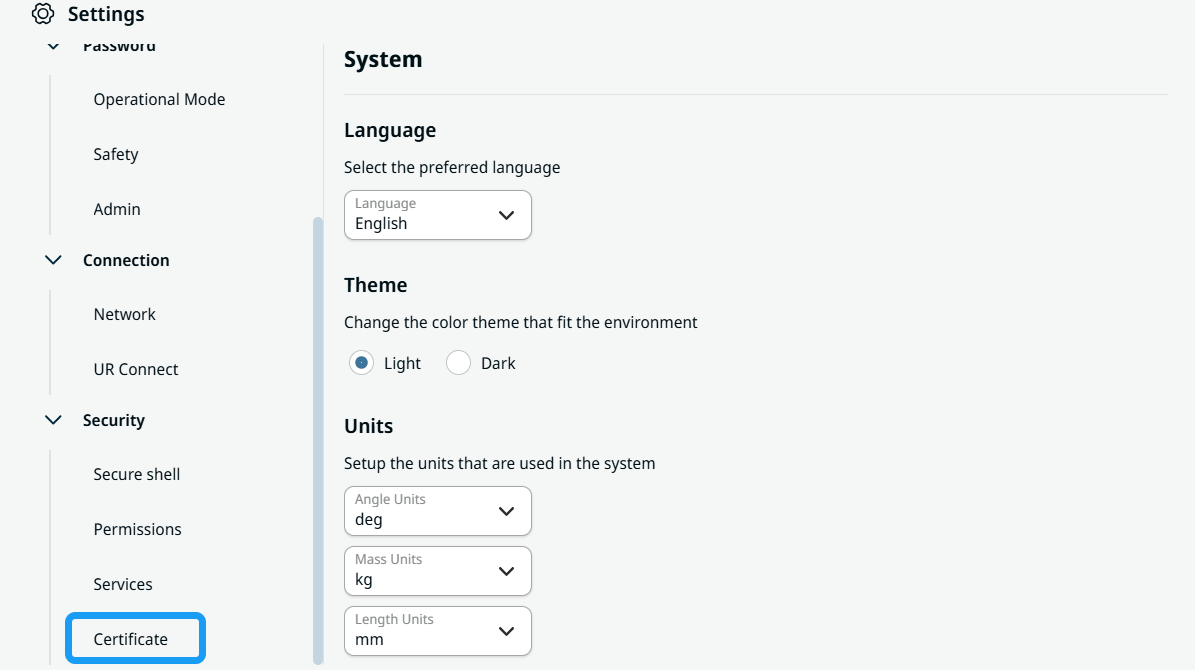
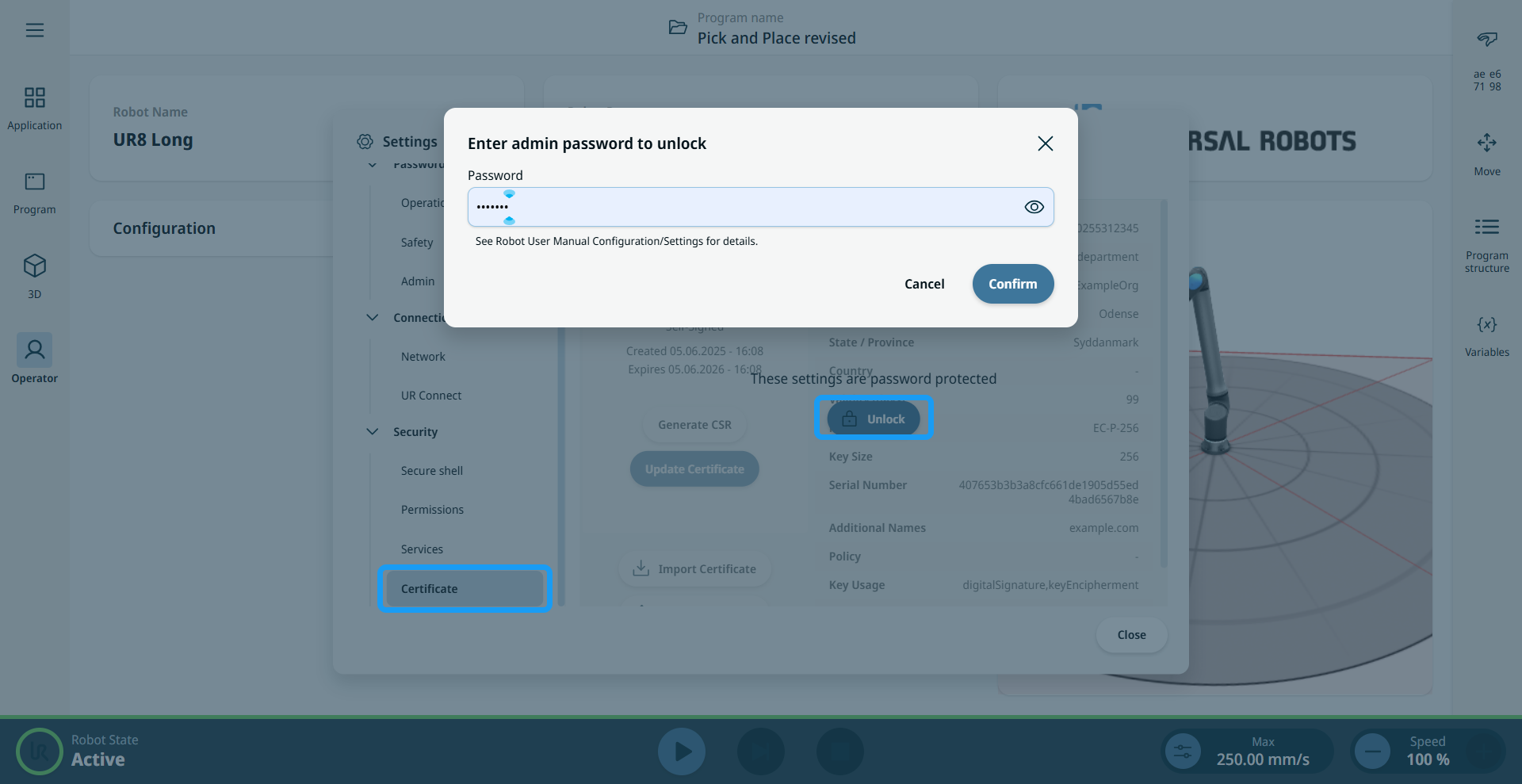
To locate Certificate Handling |
|
|
|
|
|
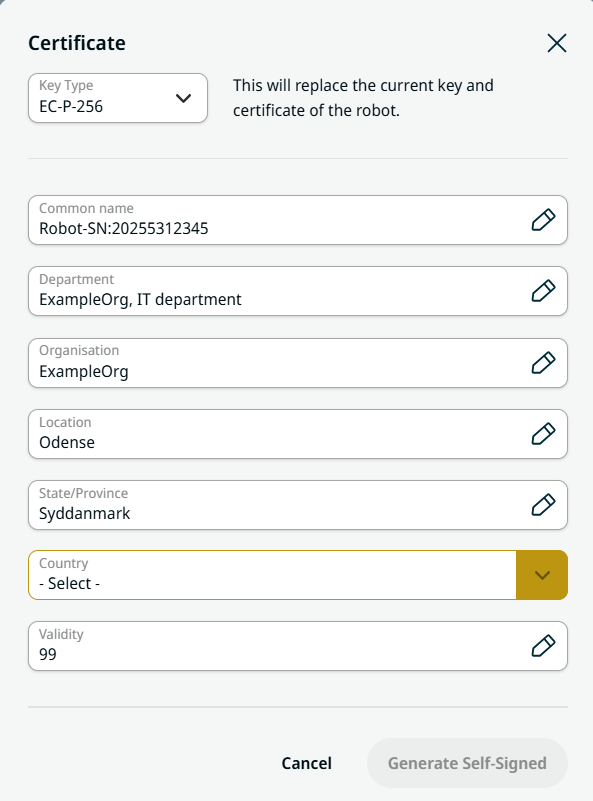
To update a certificate |
|
|
To generate a CSR |
Make sure a certificate is already present. The Generate CSR button is disabled if no certificate exists.
|
|
To Import a certificate |
|
|
To Export a certificate |
|
|
Handling expired certificates |
When a certificate expires, the page displays an Expired message with the expiration date instead of the usual creation/expiration details. You can resolve the issue in two ways:
|