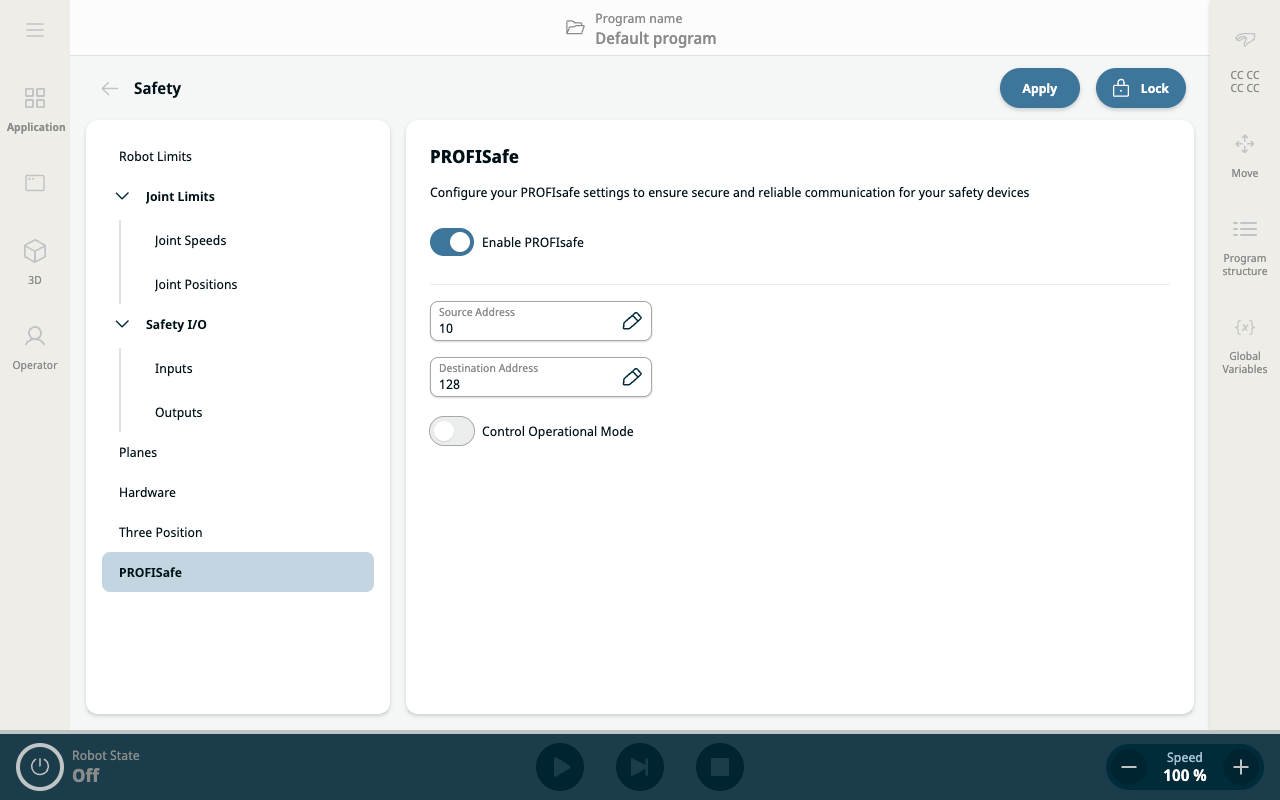
PROFIsafe
| Description |
The PROFIsafe network protocol (implemented as version 2.6.1) enables the robot to communicate with a safety PLC according to ISO 13849, Cat 3 PLd requirements. The robot transmits safety-related information to a safety PLC and receives safety-related information. The safety-related communications can be state messages or to trigger a safety function (e.g. reduced settings, stop). Stop commands are described according to IEC 60204-1, where the emergency stop is a Category 1 stop and the safeguard stop is a Category 2 stop.
The PROFIsafe interface provides a safe, network-based alternative to connecting wires to the safety IO pins of the robot control box. Use of the PROFIsafe interface maintains the UR robot’s functional safety specifications (PL, category, and PFH). For details, see the “Safety Functions Table” section in the UR manual. For example, the “safeguard stop” is PLd Category 3 with a PFH value less than 1,8E-07 (1.8 x 10⁻⁷).
PROFIsafe is only available on robots that have an enabling license, which you can obtain by contacting your local sales representative. After you obtain the license, download it from myUR. Please refer to Robot Registration and License File for information regarding robot registration and license activation.
|
| Safety PLC In |
A status message that the robot sends to the safety PLC contains the information shown in the following table.
|
||||||||||||||||
|
|
| Configuring PROFIsafe |
|
|
|
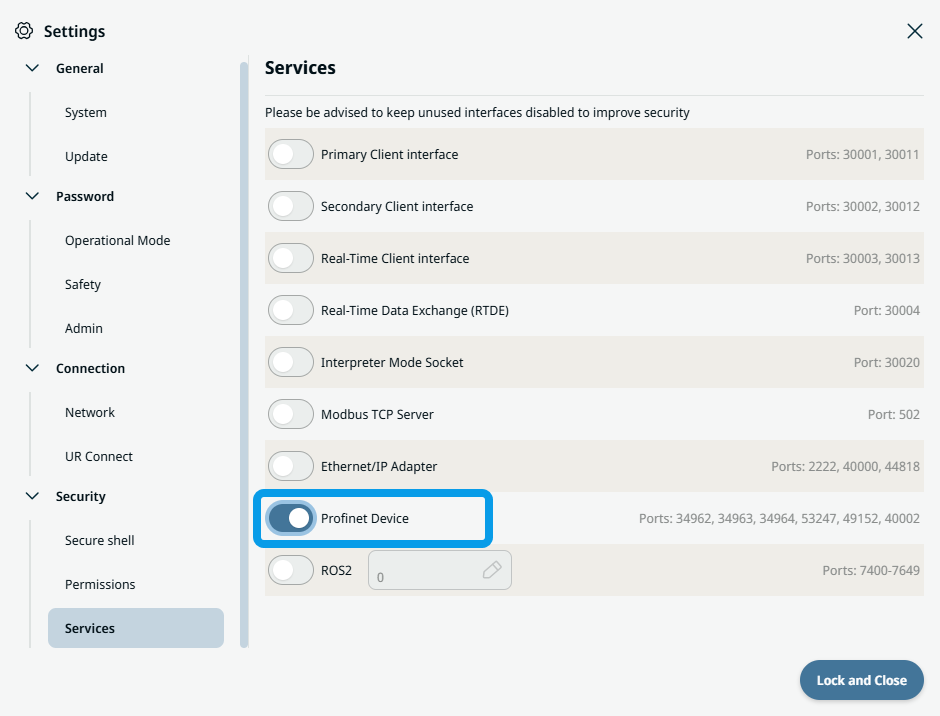
In order to configure and use PROFIsafe, Profinet Device must be enabled in the security services settings menu.
 Read for details and interface location PROFINET Device.
|