Safety Planes
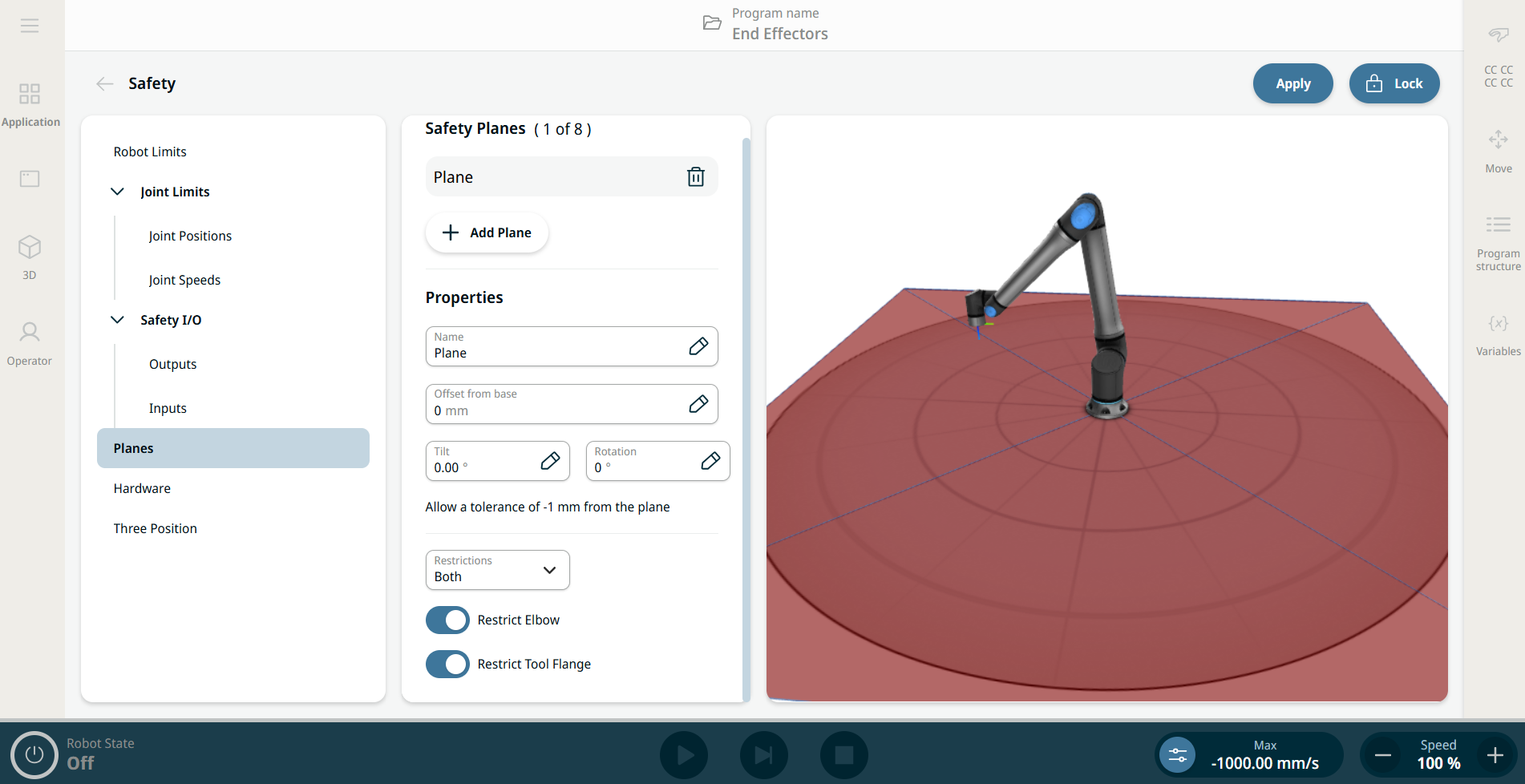
| Configuring a Safety Plane |
You can configure safety planes with the properties listed below:
You can configure each plane with the restrictions listed below:
|
| Elbow Joint Restriction |
The feature is enabled by default. You can use Restrict Elbow to prevent robot elbow joint from passing through any of your defined planes. Disable Restrict Elbow for elbow to pass through planes.
|
| Tool Flange Restriction |
Restricting the tool flange prevents the tool flange and the attached tool from crossing a safety plane. When you restrict the tool flange, the unrestricted area is the area inside of the safety plane, where the tool flange can operate normally. The tool flange cannot cross the restricted area, outside of the safety plane. Removing the restriction allows the tool flange to go beyond the safety plane, to the restricted area, while the attached tool remains inside of the safety plane. You can remove the tool flange restriction when working with a large tool off-set. This will allow extra distance for the tool to move. Restricting the tool flange requires the creation of a plane feature. The plane feature is used to set up a safety plane later in the safety settings.
|